NetApp Knowledge Base

Invalid Certificate File error returned while installing certificates in E-Series SANtricity System Manager

Views:
3,063
Visibility:
Public
Votes:
3
Category:
e-series-santricity-management-software
Specialty:
esg
Last Updated:

Applies to

  • E-Series SANtricity Management Software
  • SANtricity System Manager Web UI
  • SANtricity

Issue

Import signed certificates for controllers fails by Invalid certificate file (Web Server 422)

The certificate was unable to be imported on the controller because of an unexpected error, the certificate was not valid, or you are attempting to import the same certificate that is already on the controller... Check that you have a valid certificate and then retry the operation. 

Invalid certificate file (Web Server 422)
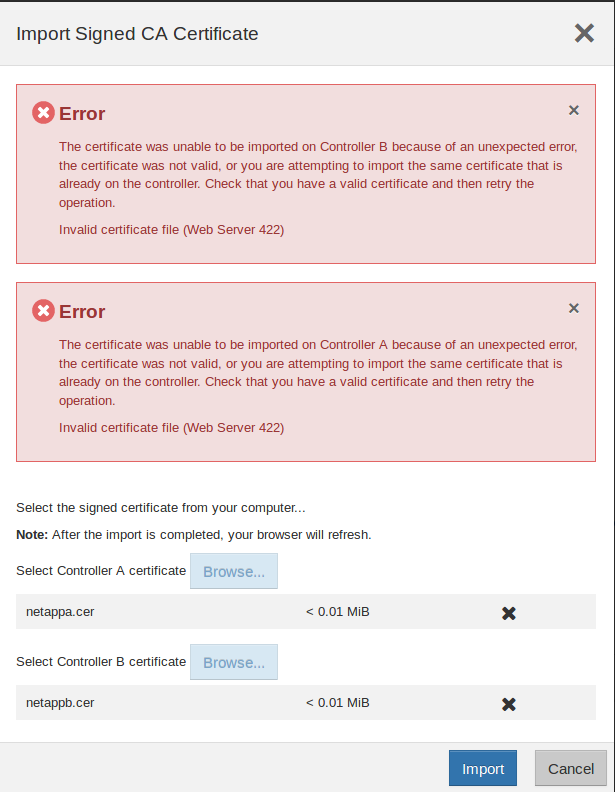
E-Series Invalid Certificate File on System Manager


Sign in to view the entire content of this KB article.

New to NetApp?

Learn more about our award-winning Support

NetApp provides no representations or warranties regarding the accuracy or reliability or serviceability of any information or recommendations provided in this publication or with respect to any results that may be obtained by the use of the information or observance of any recommendations provided herein. The information in this document is distributed AS IS and the use of this information or the implementation of any recommendations or techniques herein is a customer's responsibility and depends on the customer's ability to evaluate and integrate them into the customer's operational environment. This document and the information contained herein may be used solely in connection with the NetApp products discussed in this document.