E-Series pre-upgrade health check or upgrade failure caused by event log
Applies to
- NetApp E-Series
- SANtricity OS
Issue
- Unable to upgrade E-Series OS firmware or NVSRAM
- Upgrade is stuck after performing the pre-upgrade health check
- Pre-upgrade health check reports:
The storage array is currently in a locked out mode (due to too many incorrect password attempts) or the storage array is experiencing a communication issue. Validate that the connection between the network and both controllers is still operational. If the connection is valid, wait 10 minutes and retry the operation.An event log verification error has occurred on the storage array. The storage array cannot be upgraded until the problems are corrected.
Too many critical events loggedToo many destination driver eventsCommunications error: HTTP request returned error HTTP status: 404
- Health check verification failure log under Save Log contains:
{"result":"ok","type":"validPassword","severityLevel":"fatal","successful":true},"melCheck":{"result":"failed","type":"melEventCheck","severityLevel":"medium","warningMessages":["Too many destination driver events"]Too many destination driver events,"successful":false}}{"result":"failed","type":"melEventCheck","severityLevel":"medium","resultsData":"","warningMessages":["Too many critical events logged"],"successful":false},
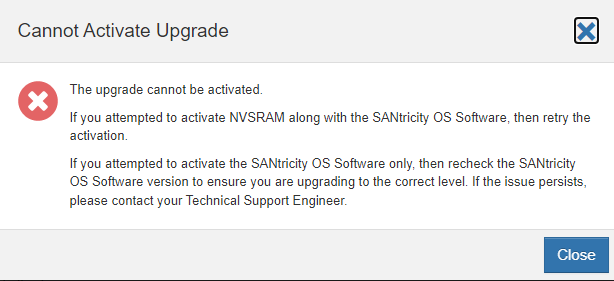
- SANtricity upgrade failed with Cannot Activate Upgrade
The upgrade cannot be activated.
If you attemtped to activate NVSRAM along with the SANtricity OS software, then retry the activation.
If you attempted to activate the SANtriity OS Software only, then recheck the SANtricity OS Software version to ensure you are upgrading to the correct level. If the issue persists please contact your Technical Support Engineer