NetApp Knowledge Base

Why does digital wallet display " ! " icon?

Views:
72
Visibility:
Public
Votes:
0
Category:
netapp_console
Specialty:
licensing_and_subscription
Last Updated:

Applies to

  • Cloud Volumes ONTAP
  • NetApp BlueXP digital wallet

Issue

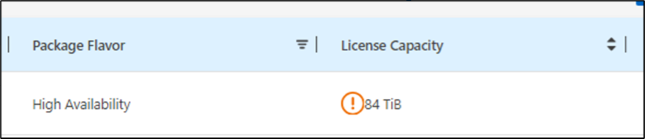
Why does the digital wallet display a " ! " icon?
 
Example:
  • Image 1

ym_dw_warning1

  • Image 2

ym_dw_warning2

Cause

There are multiple reasons.

Solution

Place the cursor over the " ! " icon, and the reason will be displayed.
 
Example:
  • Image 1

ym_dw_warning3.png

  • Image 2

ym_dw_warning4.png

 
 Note: Consumed capacity is not the same as used capacity. It refers to the total provisioned volume capacity.

Partner Notes

partnerNotes_text
 

Additional Information

additionalInformation_text

Internal Notes

internalNotes_text

Sign in to view the entire content of this KB article.

New to NetApp?

Learn more about our award-winning Support

NetApp provides no representations or warranties regarding the accuracy or reliability or serviceability of any information or recommendations provided in this publication or with respect to any results that may be obtained by the use of the information or observance of any recommendations provided herein. The information in this document is distributed AS IS and the use of this information or the implementation of any recommendations or techniques herein is a customer's responsibility and depends on the customer's ability to evaluate and integrate them into the customer's operational environment. This document and the information contained herein may be used solely in connection with the NetApp products discussed in this document.